
Do we need a joint bank account?
No. SharedNest tracks who paid and what each share was, whatever account the money came from. Many households keep separate accounts and settle once a month.
Features — Shared ledger & balance
Stop reconstructing the month from bank apps and screenshots. Every shared expense lands in one ledger, and one number tells you where you stand.
In short
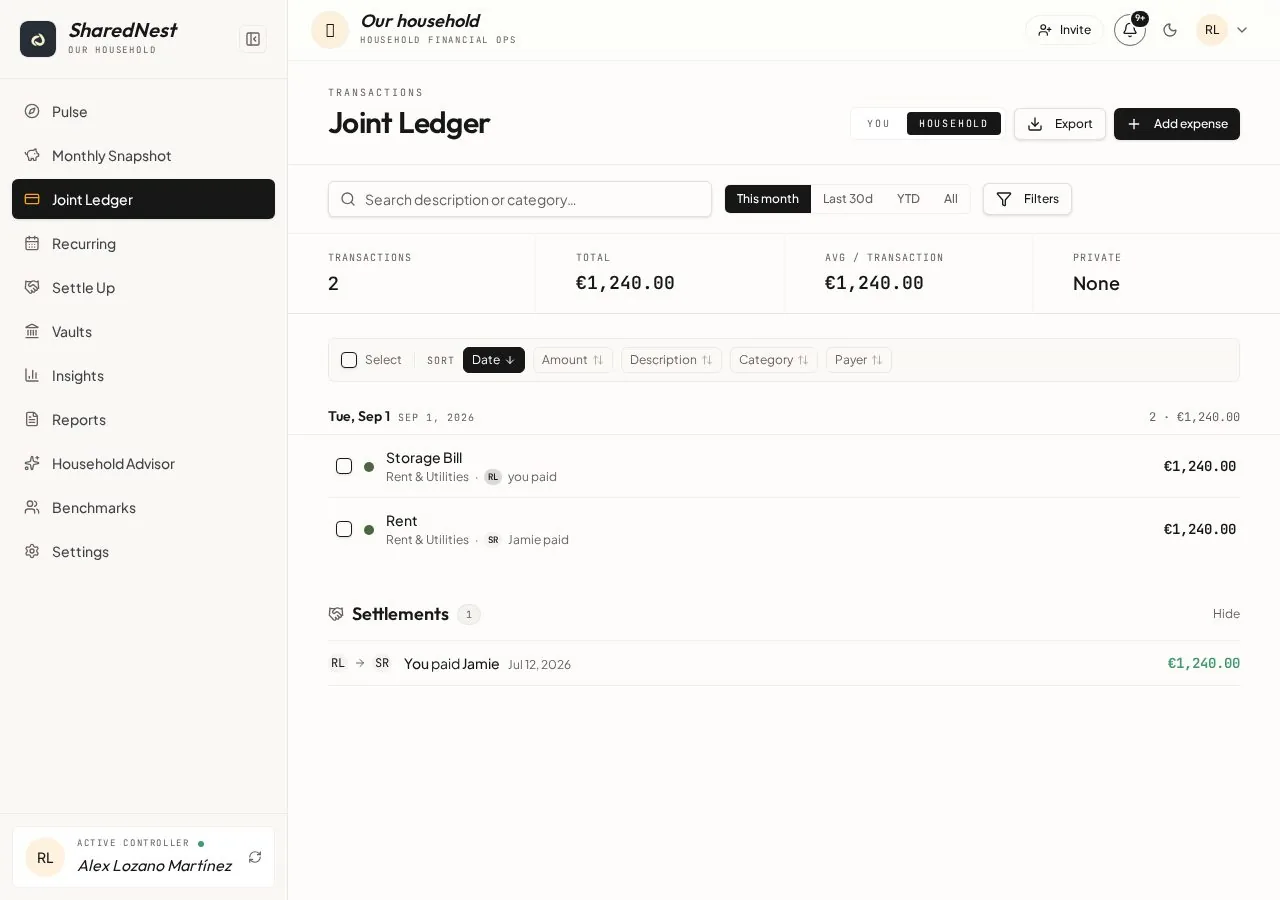
A shared ledger is a single record of everything the household spends together, with each person's share attached. SharedNest keeps that record live: as expenses and settlements go in, one balance updates to show who owes whom and how much. A You / Household toggle switches between the shared picture and your own share.
One signed number per person: what you have paid for the household, minus what your share came to, plus or minus any settlements. Positive means the household owes you; negative means you owe it.
Because every expense carries its own split rule, the balance is not an estimate. It is the arithmetic of what happened, and it holds up when somebody asks how it was calculated.
Open Settle, move the slider to the amount you are transferring, and record it. The settlement enters the ledger, the balance drops accordingly, and both people see the same history afterwards.
Yes. The You / Household toggle appears on Dashboard, the Monthly Snapshot, the ledger and Insights. In You mode every figure narrows to your own share and your private spending, so personal purchases can stay separate from the family budget.
Filter by period, category, payer or member; edit or delete an entry with an undo window; then export a clean report when you need one for a family budget review or your own records.
Two people, a 60/40 split rule, one month of shared spending.
Sam transfers €416 and records it in Settle. The balance returns to zero and the month closes with a record both people can check.
No. SharedNest tracks who paid and what each share was, whatever account the money came from. Many households keep separate accounts and settle once a month.
Yes, every member of the household can add and edit shared entries, and every change is attributed so nothing is anonymous.
They appear in your own You view and in your personal insights, but never in the shared ledger or the household balance.
Yes. Filter to the period and categories you need and export a report — useful for tax season or a documented conversation about child costs.
The mobile view is deliberately narrow: Dashboard, add expense, ledger, recurring and settle. Deeper analysis and settings are better on desktop or tablet.
Free while we build — every feature included. Create your family household and invite another adult when you’re ready.